Technology
Razer Kiyo V2 Review: 4K Clarity Meets Smart AI In One Sleek Package

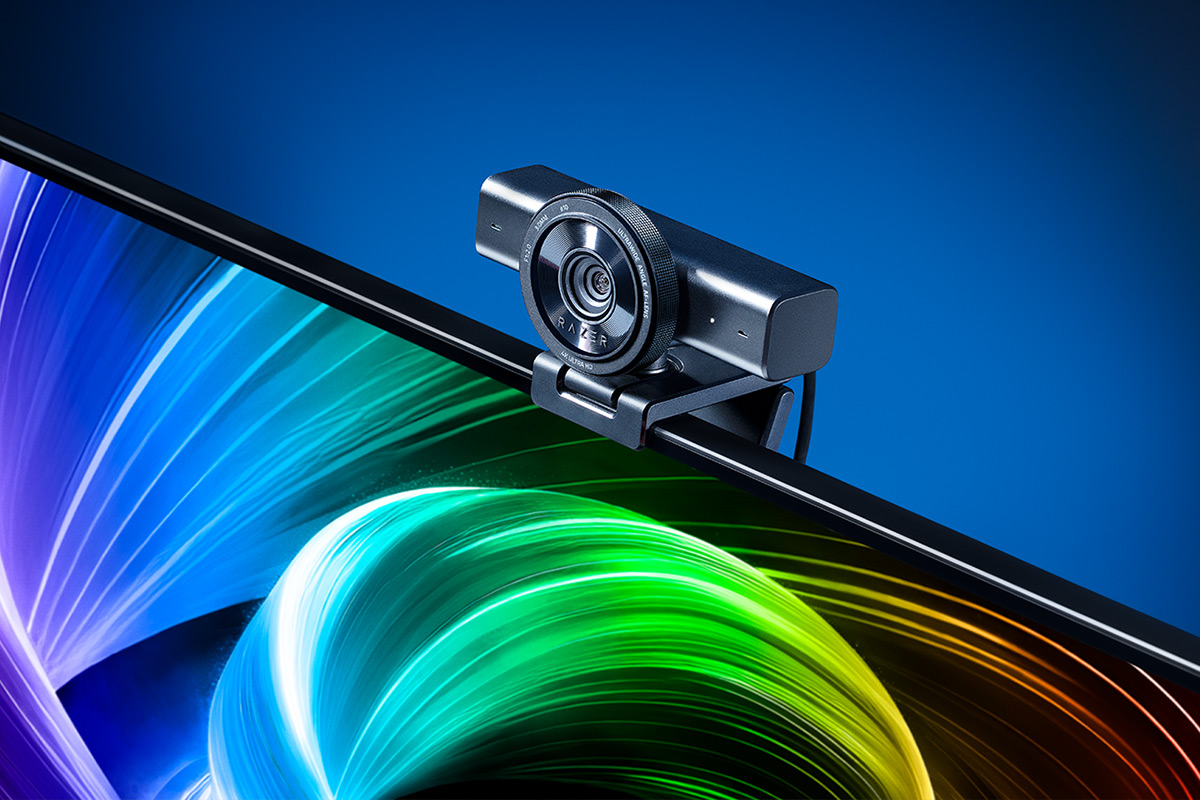
If you’ve been live streaming or video calling with a mediocre webcam, you already know the frustration – washed-out skin tones, blown-out backgrounds, and that unmistakable “potato cam” look that no amount of good lighting fully fixes. The webcam market has been heating up lately, and Razer is making a serious statement with the Razer Kiyo V2.
We’ve spent the past month extensively testing out the Kiyo V2, and let me tell you, this thing is seriously impressive!
Design & Build Quality
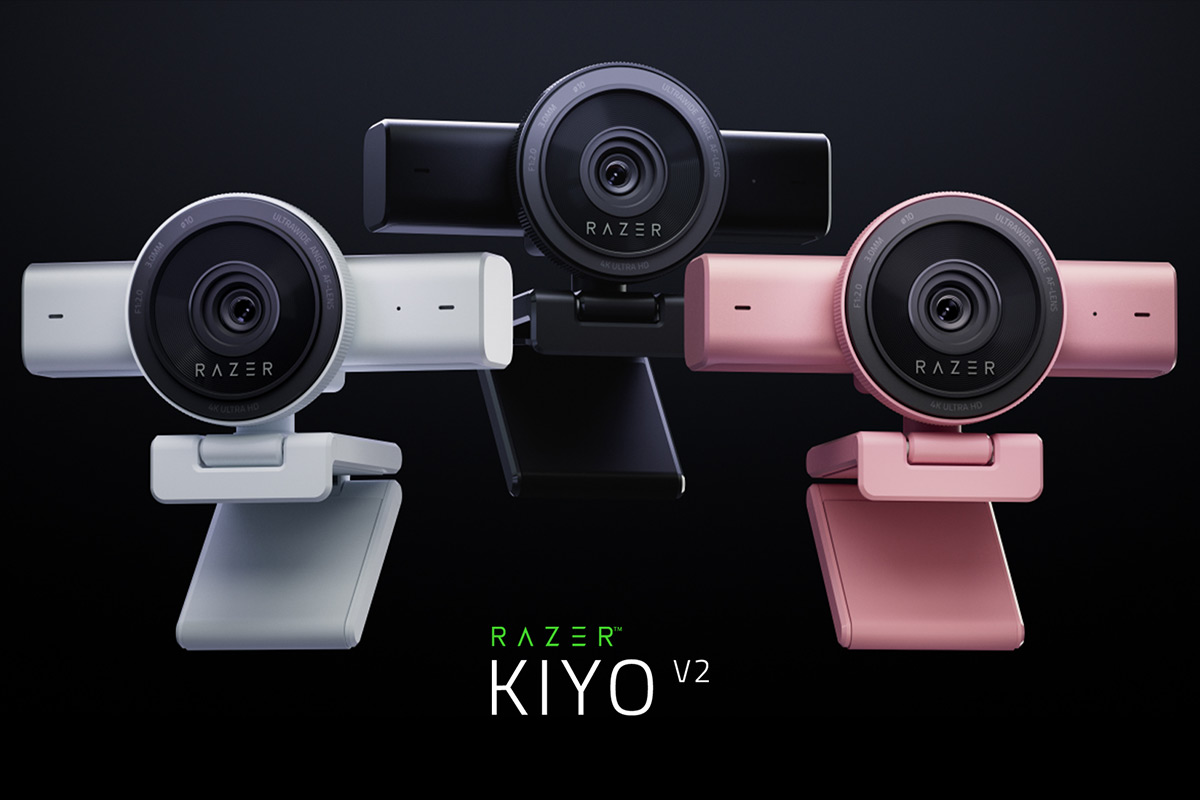
The first thing you’ll notice about the Kiyo V2 is that this doesn’t look like your grandfather’s webcam. Razer completely ditched the old ring-light design of the original Kiyo in favor of a sleek, modern rectangular form factor that honestly looks like it belongs on a professional’s desk. It’s a substantial piece of hardware – sturdy, well-built, and premium-feeling in a way that justifies the price tag before you’ve even plugged it in.
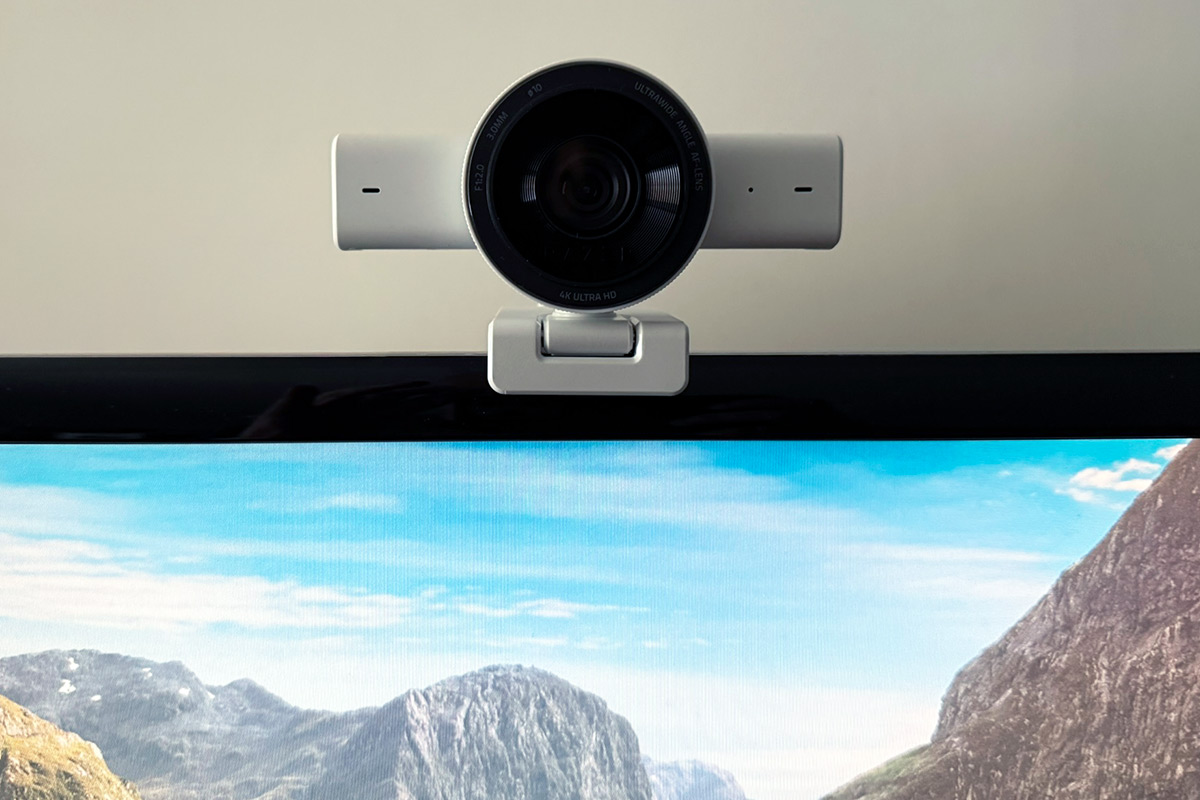
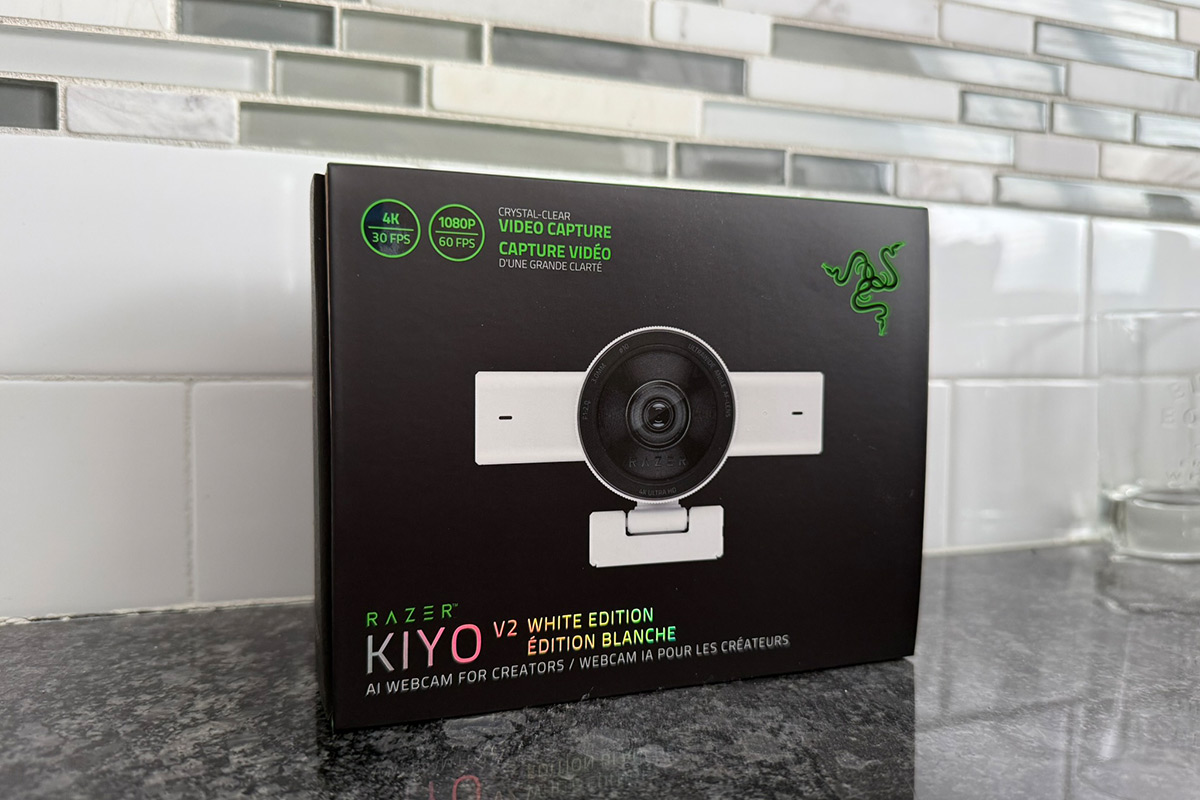
The Kiyo V2 is now offered in 3 colorways: classic Black, clean White, and a pastel Quartz pink, giving you options depending on your setup and aesthetic. We decided to go with White and couldn’t be happier, the contrast against our black monitor really draws your eye to it.
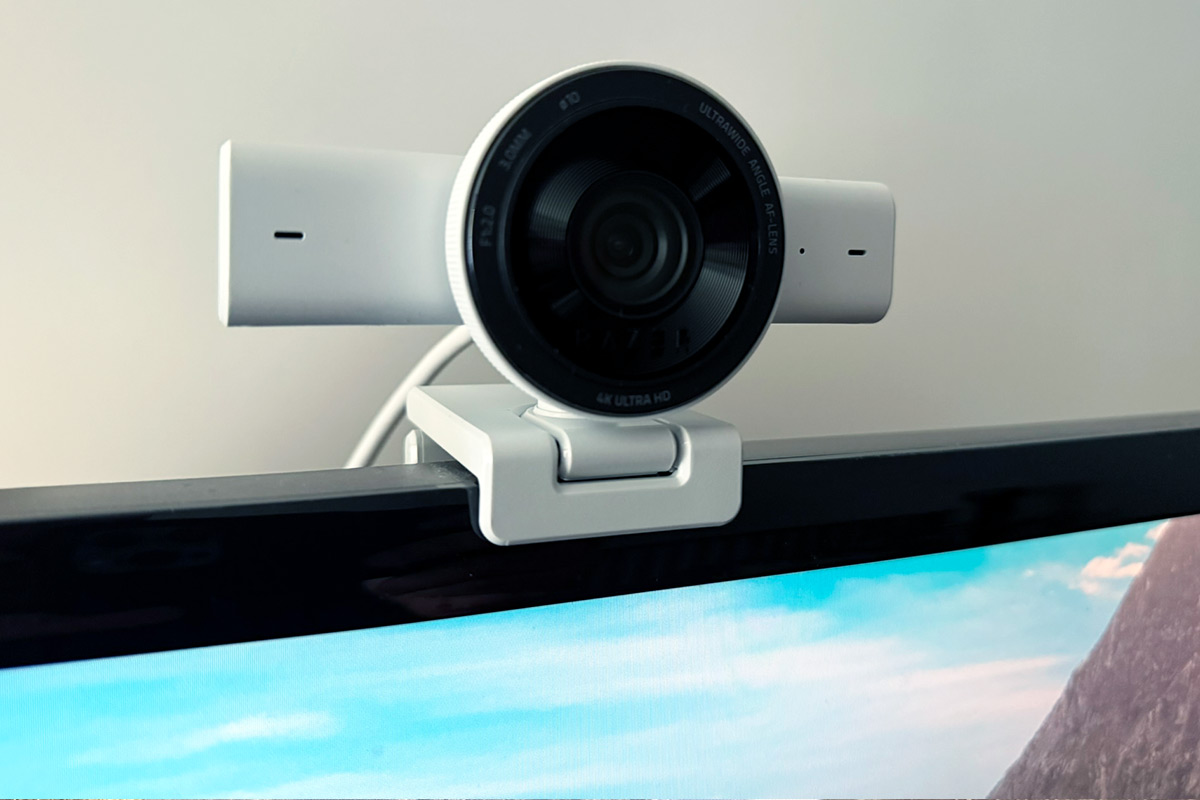
Build quality of the Kiyo V2 is excellent throughout. The stand is sturdy with a built-in pivot, there’s a standard 1/4-inch tripod thread on the bottom if you want to mount it that way, and the USB-C cable is detachable (a small but thoughtful touch that makes cable management much easier).
There’s also a white LED that lets you know when the camera is active. My favorite hardware detail, though? The physical privacy shutter. You simply twist the ring around the lens to cover it up when you’re not using the camera. It’s satisfying, intuitive, and something every webcam should have.
Specs & Technical Chops
Under the hood, the Razer Kiyo V2 is packing some serious hardware. The star of the show is an 8.3MP Sony STARVIS sensor, the same class of sensor you’ll find in cameras at much higher price points. It’s capable of recording at 4K resolution at 30 frames per second, or dropping down to 1080p at 60fps if you need smoother motion for fast-paced streaming. HDR is also supported at 30fps, which delivers noticeably richer colors and deeper contrast compared to non-HDR webcams.
The lens offers a 93° ultrawide field of view, which allows you to capture a broad view of your space. Rounding things out is a built-in stereo microphone with noise cancellation. Now I’ll be honest, I wasn’t expecting much from webcam mics, but this one genuinely surprised me. It keeps voices clear and full while doing a solid job filtering out background noise. That said, if you’re serious about your stream, a dedicated mic is still the way to go.
Video Quality: The Main Event
This is where the Kiyo V2 really shines, and it didn’t take long to notice. Right out of the box, without touching a single setting, the image looks cinematic and natural in a way that budget webcams simply can’t match. Skin tones are accurate and lifelike, not oversaturated or washed out, and the auto white balance nails it almost immediately regardless of lighting conditions.
The Sony STARVIS sensor truly earns its reputation in low-light situations. Where other webcams start to fall apart, introducing grain, losing detail, or blowing out whatever light sources are in the scene, the Kiyo V2 holds its composure. Colors stay accurate, shadows retain detail, and your face stays the clear focal point of the shot.
The 93° ultrawide field of view is immersive and great for showing off your whole setup, but if you want to crop it down a bit so the camera isn’t broadcasting every corner of your room to your viewers, the Razer Synapse software makes this easy with a zoom/crop control. Once you dial it in, the image looks sharp and well-composed without any distortion.
Software: Synapse + Camo Studio
Here’s where things get interesting.. and, full disclosure, a little confusing at first. The Kiyo V2 works with two separate pieces of software: Razer’s own Synapse app and a third-party app called Camo Studio. When I first set everything up, I wasn’t entirely sure which app was doing what, and there was a bit of trial and error figuring out how the two fit together. But once it clicked, it all made sense, and the combination is genuinely impressive.
Razer Synapse handles the fundamentals. It’s where you adjust your zoom and crop, set up focus and exposure modes, and configure shortcuts to switch between different camera presets on the fly, which is handy if you like to change your framing mid-stream. One tip that made a noticeable difference for me: switching the auto exposure mode from “Average” to “Face” tells the camera to prioritize exposing for your face rather than the whole scene, which makes a big difference if you have anything darker going on in your background.
Camo Studio is where the real magic happens, and it’s the feature that sets the Kiyo V2 apart from practically everything else in its price range. Razer partnered with Reincubate (the team behind Camo) and bundled a lifetime Pro license right in the box. That license alone is worth around $100, so it’s a significant added value. Once you’ve downloaded Camo and linked it up through Synapse, a whole new world opens up.
The standout feature, and the one I keep coming back to, is the AI-powered auto-framing with smart pan, tilt, and zoom. This isn’t just a digital zoom that crops the image, it’s genuinely intelligent tracking that keeps you centered in the frame as you move around naturally. If you lean forward to grab something, step back to show off your setup, or shift in your chair, the camera follows you fluidly without any jarring cuts or manual adjustments. For streamers who move around a lot, or anyone who’s ever had to stop mid-stream to re-center themselves on camera, this feature is an absolute game-changer.
Beyond auto-framing, Camo Studio brings a full visual toolkit – background blur, background replacement, spotlight mode, one-click image enhancement that automatically tightens up your exposure and white balance, and a recent update added AI Face Retouching, which subtly smooths your appearance in real time while adapting to changing lighting conditions. It’s tasteful rather than heavy-handed, and it looks natural on camera.
Who Should Use The Razer Kiyo V2?
The Razer Kiyo V2 is a genuinely versatile camera. Beginners will love that the auto modes in both Synapse and Camo Studio produce a great image with minimal fuss. You can essentially plug it in, let the AI do its thing, and look better on camera than you ever have. Power users, meanwhile, will appreciate that there’s real depth here: manual ISO, shutter speed, and white balance controls give you DSLR-style fine-tuning in a webcam package.
Whether you’re a Twitch streamer, a YouTube creator, someone who spends a lot of time on video calls for work, or just a guy who wants his stream to look as good as his setup, this camera delivers in spades.
Any Gripes?
Nothing major, but a few things worth mentioning. The dual-software setup is a mild friction point out of the gate. It would be cleaner if everything lived in one place, though you do get used to the workflow quickly.
You also need a USB-C port, that’s a firm requirement. I initially panicked, as I didn’t think my older PC had one, but thankfully it did. While some webcams will work with a USB 2.0 or 3.0 connection, the Kiyo V2 goes with USB-C due to its speed and reliability.
And the default 93° field of view may feel too wide for many people, so expect to spend a few minutes cropping it to your liking in Synapse. None of these are dealbreakers, they’re more just things to be aware of going in.
The Final Verdict
At $149.99, the Razer Kiyo V2 delivers a premium 4K webcam experience that punches well above its price class. The Sony STARVIS sensor produces a beautiful, cinematic image with excellent low-light performance and color accuracy right out of the box. The build quality is top-notch. The new colorway options look fantastic on modern setups. And the bundled lifetime Camo Studio Pro license tips the value equation decisively in its favor, adding AI-powered auto-framing, background tools, face retouching, and more in a package that would cost you considerably more if purchased separately.
The smart pan, tilt, and zoom tracking alone is the kind of feature that, once you’ve used it, you won’t want to stream without. So if you’re ready to seriously upgrade your on-camera presence, we highly recommend the Razer Kiyo V2.
Score: 9/10















Is An $11.99 Apple Mystery Box Worth It? Inside GOATbox.gg’s MacHead

A Better Fit: How Esteem Apparel Helps Men Dress With More Confidence

Upgrade Tips For The 2013–2017 Subaru Crosstrek: Practical Accessories, Protection, and Value

Baywatch Is Back: FOX Drops The First Full Trailer For The Reboot

Is It Time To Replace Your Tires Before Winter?
Is It Time To Replace Your Tires Before Winter?
A Better Fit: How Esteem Apparel Helps Men Dress With More Confidence
Upgrade Tips For The 2013–2017 Subaru Crosstrek: Practical Accessories, Protection, and Value
Is An $11.99 Apple Mystery Box Worth It? Inside GOATbox.gg’s MacHead
Baywatch Is Back: FOX Drops The First Full Trailer For The Reboot

Watch The Fast And Furious Trailer For ‘Hobbs & Shaw’

A Dance-Off For The Ages Broke Out At Monday Night’s 76ers Game

Netflix Drops ‘Black Mirror: Bandersnatch’ Trailer Ahead Of Release Tomorrow

Former NASA Engineer Gets Revenge On Package Thief With Glitter Bomb

Recent Comments