
Technology
Your iPhone Is About To Get A Whole Lot Smarter With iOS 27

Apple held its annual Worldwide Developers Conference this week, and while a reimagined Siri understandably stole the spotlight, the company quietly slipped a whole bunch of smaller (but seriously useful) updates into iOS 27 that never made it onto the main stage.
Whether you’re a power user who loves tinkering in the settings menu or just a guy who wants his iPhone to work smarter, there’s something in here for you. Here’s the full breakdown.
Siri Is Finally Getting A Long-Overdue AI Overhaul
Let’s start with the big news. Apple has been promising a smarter, more capable Siri for years, and after a very public stumble (including a $250 million class-action lawsuit settlement over misleading claims about Apple Intelligence) they’re swinging big this time.
“We’re excited to introduce Siri AI, a dramatically more capable and conversational assistant designed to help users find information and get things done throughout the day. With access to broad world knowledge for up-to-date answers on virtually any topic, along with onscreen awareness and personal context understanding, Siri AI can help users take action across apps more naturally than ever,” said Craig Federighi, Apple’s senior VP of Software Engineering.
The new Siri AI is getting a complete reboot powered by Google’s AI models, which puts it in direct competition with Google Gemini, ChatGPT, and Claude. The new Siri AI will have deep access to everything on your device, so it can actually help you do things that used to require digging through apps yourself, like pulling up a flight confirmation buried in your email, finding a restaurant rec a friend texted you six months ago, or setting a reminder for a concert ticket on-sale date.
During WWDC, Apple executives showed off Siri identifying that a singer was touring near San Francisco, offering ticket info, and automatically setting a sale-date reminder. That’s the kind of practical, real-world usefulness that should have been there from day one.
Siri will also gain on-screen awareness, meaning that you can ask it questions about whatever you’re currently looking at on your phone. Viewing a photo? Ask Siri where it was taken. Want directions there? Done. Need to add a stop at a buddy’s place on the way? Also done.
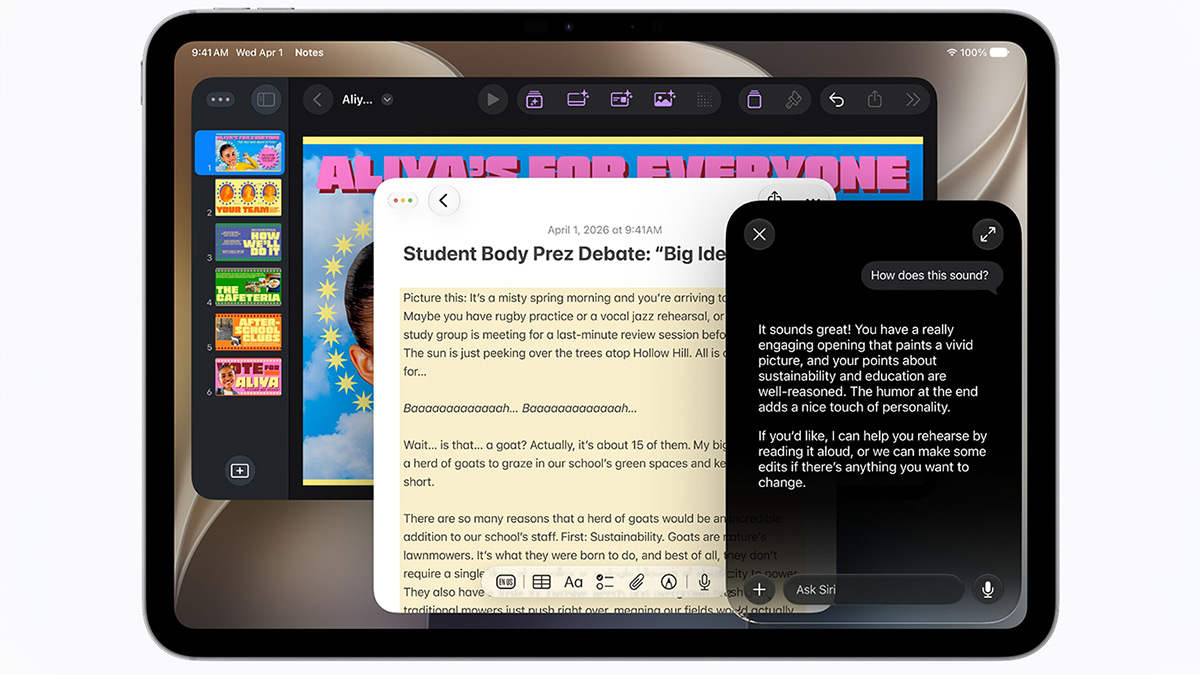
Siri’s writing tools are getting smarter too, and in a way that’s actually personal. When drafting emails or messages, Siri will learn how you typically communicate with each person and mirror that style, right down to your punctuation and tone. Shoot short bullet points to your boss? That’s what Siri will generate. Siri also now automatically proofreads as you type across the whole system, including inside most third-party apps.
And in a move that makes total sense, Siri is finally becoming its own standalone app, similar to ChatGPT or Claude, syncing across your iPhone, iPad, and Mac so your conversations carry over between devices.
Your iPhone Camera Is Becoming Legitimately Powerful
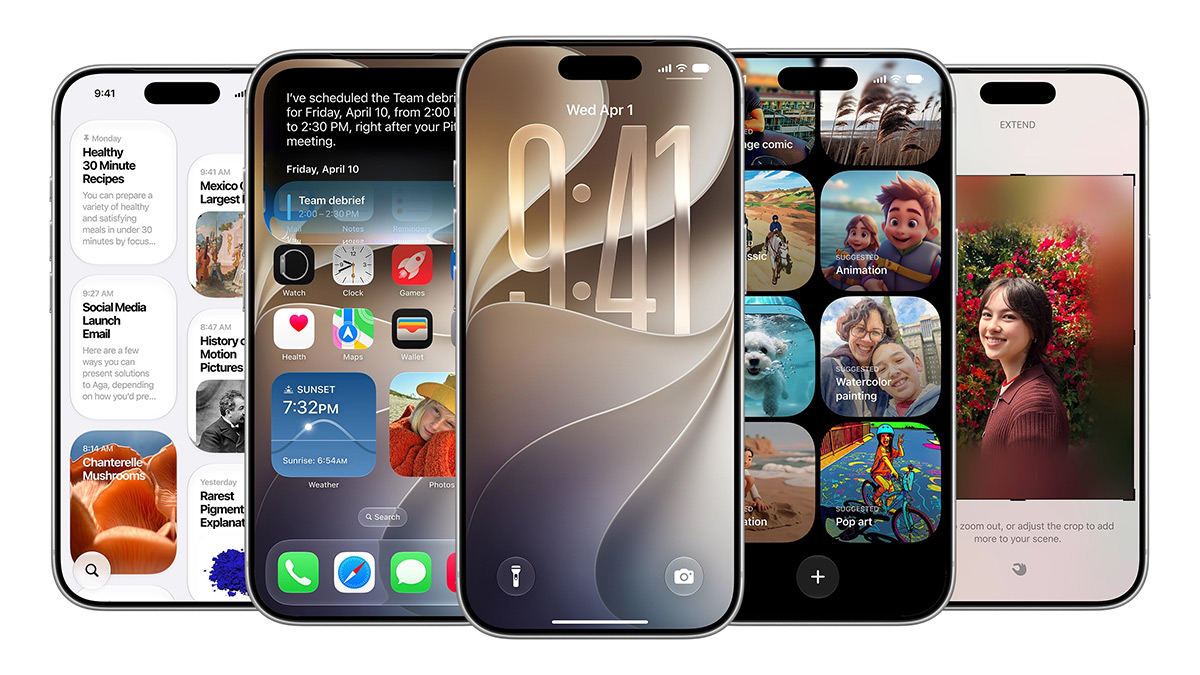
The camera is getting a big upgrade with Visual Intelligence, which lets you point your camera at just about anything and get useful information back. Spot a restaurant? Get the hours. See a plant you can’t identify? Siri’s on it. Want to do a reverse image search? Google is integrated right in. It’s those features we’ve been waiting for.
But wait, it doesn’t stop there. Point your camera at a receipt after a group dinner and iOS 27 can calculate each person’s share, including tax and tip, and let you pay out via Apple Cash right there. That alone might save you from being the guy stuck doing the math on your phone’s calculator for the next ten minutes.
And for the first time, Visual Intelligence is expanding beyond iPhone. iPad users get it built right into the screenshot experience, while Mac users can trigger it with a keyboard shortcut to select anything on their screen and ask Siri about it directly.
The Apple Services Upgrade You’ll Actually Use
Apple Maps is getting enhanced Flyover views that combine aerial imagery with AI for a sharper, more lifelike look at cities around the world. There’s also a new Local Lists feature in the U.S. that surfaces trending restaurants, local spots, and places to take the kids.
Find My is adding flexible location-sharing options so you can share your location for a set window of time – a few hours, a few days, whatever you need. And you can also pause sharing for a specific person without them getting notified, which is perfect when you’re picking up a birthday gift or showing up to a surprise party. How smart is that!?
Apple Wallet is getting a big quality-of-life bump too. Beyond the bill-splitting feature, you’ll be able to create and store your own custom passes from physical loyalty or membership cards, just point your camera at the barcode and it saves straight to Wallet. Hotel experiences are also getting smarter, with enhanced key experiences that give guests trip details, activity updates and on-property services all in one place.
Smarter Photos, Shortcuts You Can Actually Build, And More
The Photos app is picking up new AI editing tools under an Apple Intelligence section. The standout feature called Extend lets you expand an image beyond its original frame, which is great if your subject got cut off. Meanwhile, Spatial Reframing lets you touch and drag to reposition people or objects in a photo, almost like reshooting the angle after the fact.
The Shortcuts app is also getting a serious accessibility upgrade. Instead of navigating the confusing builder interface, you can now just type exactly what you want the shortcut to do in plain language, and Apple Intelligence will build it for you. Setting up an automation that calculates your ETA from work and texts your partner? That’s now a one-sentence job.
And if you’ve got kids on Apple devices, there are new parental controls rolling out that give you more say over what they can access, download, or who they can contact, with a lot of the most important settings turned on by default for kids under 13.
The iOS 27 Features Apple Didn’t Even Mention Onstage
Surprisingly, not everything made it into the keynote. Developers digging through the first iOS 27 beta have already surfaced some genuinely useful additions that Apple quietly slipped in without any fanfare, and some of them are genuinely great.
The biggest ones worth calling out: full-screen home screen widgets are finally here, making it easy to scan your calendar or news at a glance; Find My now lets you hide your location from a specific person for a set window of time without sending them any kind of notification, perfect for surprise plans; and CarPlay is getting audio scrubbing at long last, so you can actually seek through a podcast or track without pulling over to mess with your phone.
Also worth mentioning:
- Separate volume controls for alarms, timers, alerts, and system sounds (Settings > Sounds & Haptics)
- Smarter copy/paste — a paste shortcut now pops up on your keyboard when you have text or a screenshot on your clipboard
- Weather app redesign with a highlights section for upcoming notable events and easier switching between Conditions, Precipitation, and Wind views
- Messages now lets you customize or hide the voice recording and dictation buttons, and adds a Drawing option for sketching quick notes
- Camera controls get a layout refresh with faster access to depth, grid, and level
- Calendar can detect upcoming holidays and ask whether you still want scheduled alarms to fire
When Can You Get iOS 27?
The beta releases of iOS 27, iPadOS 27, watchOS 27, and macOS 27 are currently available to download for developers, and public betas will be available next month. The final versions are expected sometime in September.
Siri AI will roll out in beta later this year, initially in English only, and will require an iPhone 15 Pro, iPhone 15 Pro Max, or any model in the iPhone 16 or 17 lineup. Select iPads, Macs, and Apple Watches will also be supported.
Most people should wait to update their devices until the final versions are released. But if you can’t wait, you can enroll in the beta by going to Settings > General > Software Update > Beta Updates and selecting Developer Beta. Note that you can expect the occasional bug and some battery hit while you’re running pre-release software.
What feature are you most excited about in iOS 27?













FuelFest Brings Car Culture Spectacle To New Jersey This Saturday!

The Mercedes-AMG CLE 646 Is A 637-Horsepower Track Weapon

Aston Martin’s First Road Bike Is Here, And Only 300 People Will Own One

New Street Fighter Trailer Is Here, And It’s Everything We Wanted

Apple’s Biggest Launch In Years: iPhone 18 Pro, Folding iPhone & More

Ali G Goes To America To Reclaim His Glory In New “Who Iz I?” Trailer
Aston Martin’s First Road Bike Is Here, And Only 300 People Will Own One

TAG Heuer’s Limited-Edition Monza Is A Tribute To Niki Lauda’s Title Run

HUSH Pro Clipper: The Cordless Upgrade Your Head-Shaving Routine Needs

Life Time Is Turning Your Gym Into A Social Scene With LT Social

Watch The Fast And Furious Trailer For ‘Hobbs & Shaw’

A Dance-Off For The Ages Broke Out At Monday Night’s 76ers Game

Netflix Drops ‘Black Mirror: Bandersnatch’ Trailer Ahead Of Release Tomorrow

Former NASA Engineer Gets Revenge On Package Thief With Glitter Bomb

Recent Comments